

Thinking about developing an app for your business? UI/UX design for apps is the critical first step before any coding begins. Building an app without proper design is like building a house without blueprints – you’ll end up with something functional but deeply flawed. When business owners rush into development without investing in UI/UX design for apps, the consequences are costly: confusing interfaces, poor workflows, frustrated users, and expensive rework.
This guide explores what the UI/UX design for apps phase entails, tools for designing and collaborating, and why it’s critical for your business app’s success before any coding begins.
The Role of UI/UX Design for Apps in Business Development
Before diving deeper, let’s clarify what we mean by UI/UX design for apps and how it affects your business app’s success.
UI (User Interface) design focuses on the visual and interactive elements of your app – the buttons, forms, navigation menus, color schemes, typography, and layout that users interact with. It’s the “face” of your application.
UX (User Experience) design takes a broader view, encompassing the entire journey and emotional response a user has when using your app. It addresses questions like: Is the app intuitive for your employees? Does it solve your customers’ problems efficiently? Does it create a positive impression of your business?
While distinct, UI and UX design work hand-in-hand. A visually stunning business app with poor usability fails just as surely as a highly functional one that looks unappealing or outdated.
UI/UX design for apps serves as the crucial bridge between your business needs and technical implementation. It translates your company’s requirements into visual solutions that developers can build and your employees or customers can intuitively understand. When done well, it makes the invisible visible, turning abstract business processes into tangible interactions.
App UI/UX Design: The Blueprint Analogy
The parallels between app development and architecture run deep. Just as home builders don’t begin construction without detailed blueprints, you shouldn’t start coding your business app without comprehensive app UI/UX design.
Architecture plans serve multiple purposes:
- They help business stakeholders visualize the end result
- They identify potential problems before construction begins
- They provide detailed guidance for builders
- They serve as a reference point when questions arise
App UI/UX design fulfills the same functions in development. They provide developers with precise specifications, give you and your team a clear vision of the final product, and create a shared understanding among all project stakeholders.
The risks of skipping UI/UX design for apps are substantial for business owners:
Increased business costs: When developers build features without clear designs, they make assumptions. When those assumptions prove wrong (as they often do), rework becomes necessary. According to IBM research, fixing a problem in development costs 6-10 times more than addressing it during design.
Delayed app launch: That rework translates directly into delayed launches. App projects that skip proper UI/UX design for apps typically take 40-60% longer to complete than those with thorough design phases. For your business, this means a longer wait before realizing the benefits of your investment.
User rejection: Perhaps most critically, business apps built without user-centered design often miss the mark on usability. The result? Low adoption rates among your employees or customers, negative feedback, and eventually, abandoned software – a significant loss on your technology investment.
Benefits of Investing in UI/UX Design for Apps Early
Time and Cost Efficiency
Investing time in app UI-UX design upfront accelerates project delivery and saves money:
- Design changes are infinitely cheaper and faster than code changes
- A study by IBM found fixing errors after product release costs 4-5 times more than during design, and up to 100 times more in maintenance
- Potential technical challenges are identified before development begins
- Complete design systems reduce decision-making during development
Improved User Experience and Business Performance
Well-designed UI/UX design for apps leads directly to better outcomes:
- Intuitive navigation reduces learning curves and training costs
- Consistent patterns make your app feel familiar and reliable
- Thoughtful information architecture helps users find business data quickly
- Research shows design-led companies outperformed the S&P 500 by 211% over a 10-year period
- A Forrester Research study found well-designed interfaces could raise conversion rates by up to 200-400%
Collaboration, Ownership and Stakeholder Alignment
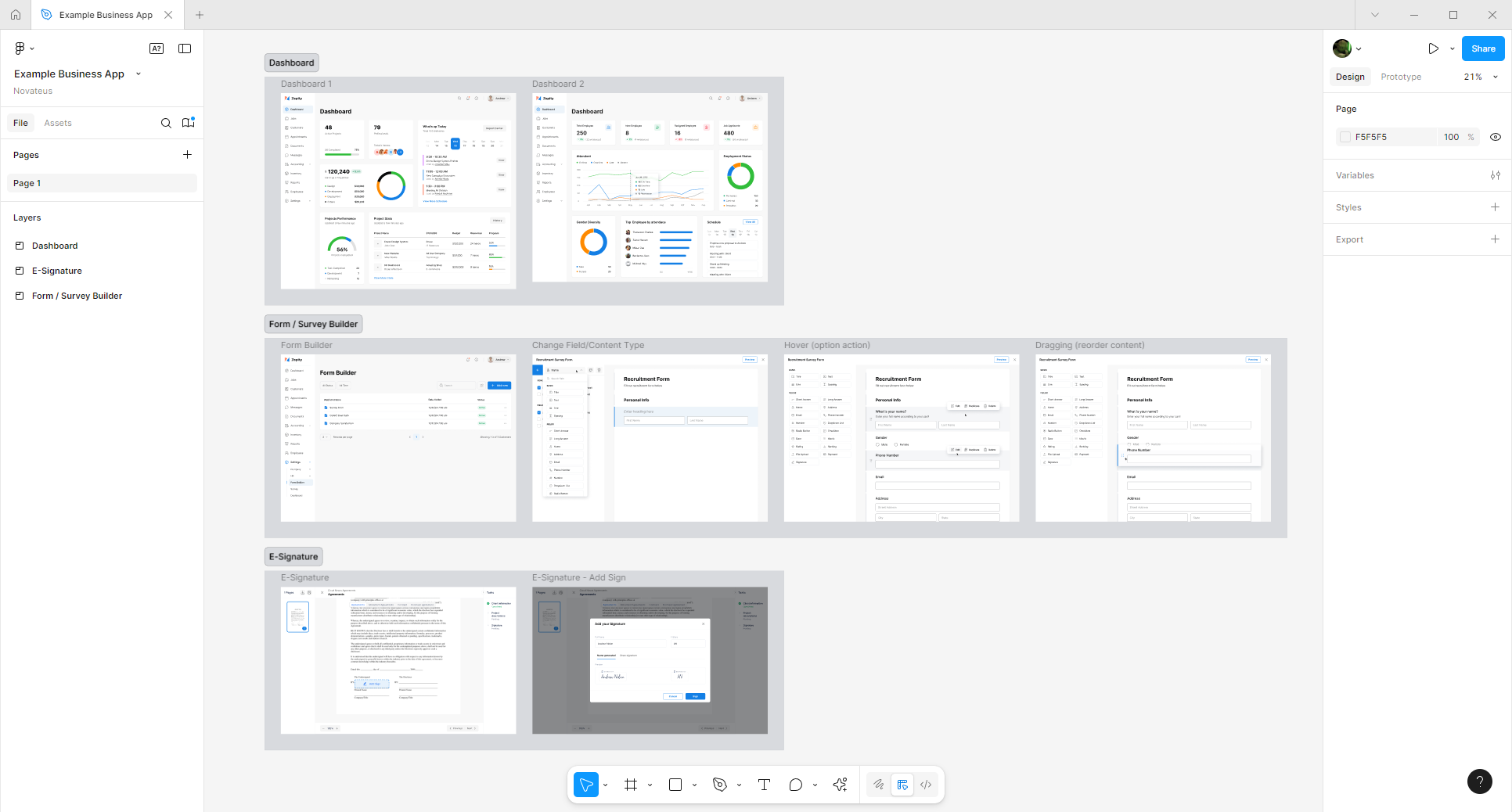
Modern design tools like Figma transform the development process through:
Real-time collaboration: Multiple team members work simultaneously, eliminating “email a screenshot and wait” approaches
Accessible feedback: Browser-based access, interactive commenting, and version history
Prototyping and consistency: Clickable mockups and design systems that maintain visual coherence
This collaborative approach creates several benefits:
- Visual designs create clarity where written requirements might be ambiguous
- Prototypes allow stakeholders to experience the app before significant investment
- Your entire team becomes invested in the app’s success
- Departments like marketing can ensure brand consistency while operations verifies workflow accuracy
De-Risking Your Investment and Building Relationships
The UI/UX design for apps phase offers strategic advantages beyond the app itself:
- Early partnership evaluation: Experience your development team’s communication, responsiveness, and problem-solving approach
- Financial risk management: Design typically represents less than 10% of project costs but defines the success of the other 90%
- Validation before commitment: Identify misalignments early and validate business assumptions before major development investment
It’s the business equivalent of a test drive before purchasing a vehicle—allowing you to evaluate how your development partner executes critical milestones before committing to the larger budget.
Common Pitfalls of Skipping App UI-UX Design
Bypassing proper app UI-UX design leads to significant business challenges:
Misunderstood Requirements and Inefficient Development
Written specifications often contain hidden assumptions and unaddressed edge cases:
- A seemingly simple requirement like “filter customer data” raises dozens of questions that design would address
- Without design alignment, development becomes an inefficient “build, review, revise” cycle rather than “design, align, build”
- Developers waste time on features that may be completely redesigned
- Project timelines become unpredictable as revision cycles multiply
Poor User Experience and Adoption
First impressions matter, and poorly designed interfaces create lasting negative perceptions:
- Unintuitive navigation leads to workarounds or abandonment
- Inconsistent interfaces decrease trust in your business systems
- Poor visual hierarchy buries important functions
The impact extends beyond immediate users to your brand reputation, employee productivity, and customer satisfaction.
What an Effective App UI-UX Design Process Looks Like
Discovery and Research
Start by understanding the business problem:
- User research with employees and customers
- Competitive analysis of similar business applications
- Definition of user personas and journey mapping
- Alignment on business goals and success metrics
Iterative Design Development
With a clear understanding of requirements, designers create increasingly refined solutions:
- Low-fidelity wireframes: Simple outlines of structure and information hierarchy
- Mid-fidelity wireframes: More detailed views of navigation and content
- Interactive prototypes: Clickable mockups that simulate real user flows
Visual Language and Design Systems
Establish consistency across your application:
- Brand-aligned color palettes and typography
- Reusable component libraries
- Consistent interaction patterns
For larger projects, comprehensive design systems guide current and future development.
Developer Handoff
The final stage before coding involves thorough documentation:
- Detailed UI element specifications
- Asset preparation and optimization
- Interaction behavior documentation
- Responsive design annotations
Tools like Figma, Adobe XD, and Zeplin create direct connections between designs and development, ensuring your vision is accurately implemented.
Conclusion: Don’t Skip Design—Invest in Your Business App’s Foundation
UI-UX for apps isn’t a luxury or a nice-to-have – it’s a fundamental requirement for successful business app development. Just as you wouldn’t build an office without blueprints, you shouldn’t build software without design.
The investment pays dividends throughout the development process and the entire product lifecycle:
- Reduced development costs
- Faster time to market
- Higher user satisfaction and adoption
- Fewer support issues
- Stronger competitive positioning for your business
Organizations that treat app UI-UX design as a strategic asset consistently outperform those that view it as merely decorative. They deliver products that not only work well but create positive emotional connections with users – the foundation of lasting business success.
As you plan your next business app project, consider this: Would you rather spend time getting the design right at the beginning, or spend much more time and money fixing problems after development? The answer should be clear.
Investing in UI/UX design for apps isn’t just good practice – it’s good business.
Ready to prioritize design in your next business app project? Contact our team to learn how our design-first approach can help you build software that your employees and customers will love and that your developers can efficiently build.